
7 Octoparse Alternatives for No-Code Scraping and Local Leads (2026)
Octoparse is useful when you want to configure extraction visually and export the result. The reason to switch might be a lighter local tool, cloud monitoring, a maintained API, or a finished business-research workflow. Choose around that need rather than the number of advertised features.
Quick answer
For recorded extraction and change monitoring, consider Browse AI. For a visual project-based scraper, compare ParseHub, paying attention to its free public-project restriction.
For free local browser extraction, try Web Scraper. Scheduled cloud execution is a separate paid service.
For ready-made or custom hosted jobs, look at Apify. For a maintained supported-source API, consider Bright Data.
For local business lists, Outscraper fits occasional Maps exports, while OwnerClue fits agency prospect research with website context and sourced contacts. These are specialists, not general visual scrapers.
Keep Octoparse if your current task already handles the source and its output needs little cleanup.
Which Octoparse alternative fits your task?
3 quick questions · optionalHow we compared these alternatives
We checked official product pages, documentation, and pricing for the work each tool can take over, the cost to start, free or trial limits, and what you would need to rebuild. Prices were checked on October 12, 2026.
OwnerClue publishes this guide and is included below. This is a documentation-based comparison, not a performance benchmark. Website captures identify products and plan terms; official demonstrations and the redacted workspace are labeled in their captions.
| What we compared | Why it matters |
|---|---|
| Setup model | Recorded robots, selector sitemaps, visual projects, and maintained APIs require different work. |
| Local or unattended | An occasional local run and a recurring cloud schedule need different execution plans. |
| Output completeness | List pages, detail navigation, pagination, and missing fields affect the final dataset. |
| Limits and privacy | Pages, URL credits, websites, exported rows, and public-project visibility are different constraints. |
On this page
Why look for alternatives to Octoparse?
The useful question is what you want to stop configuring. If every new site needs a different extraction task, a maintained source scraper may take over more of that work. If you only collect one small directory manually, a free local extension may be enough.
Execution location changes the comparison. A tool running in your browser or desktop can be a good choice for an occasional job. A nightly collection task needs the correct cloud plan, scheduling, and a reliable output handoff. Do not compare a free local plan with a paid unattended workflow as if they were identical.
List pages and detail pages are separate work. A product list may show names and prices while its detail pages contain variants or seller information. Pagination, navigation, and missing values can make two apparently similar tasks produce different records.
Sometimes the output is a sales research list. If your agency uses a general scraper only to find local companies and investigate their websites, a specialist can organize that narrower job. It will not replace a visual scraper for unrelated product catalogs, property listings, or custom page layouts.
The 7 Octoparse alternatives
These tools take over different parts of the job. Each uses the same quick-fact format, followed by a practical use case and a limitation that could change your choice.
1. Browse AI: recorded extraction and monitoring
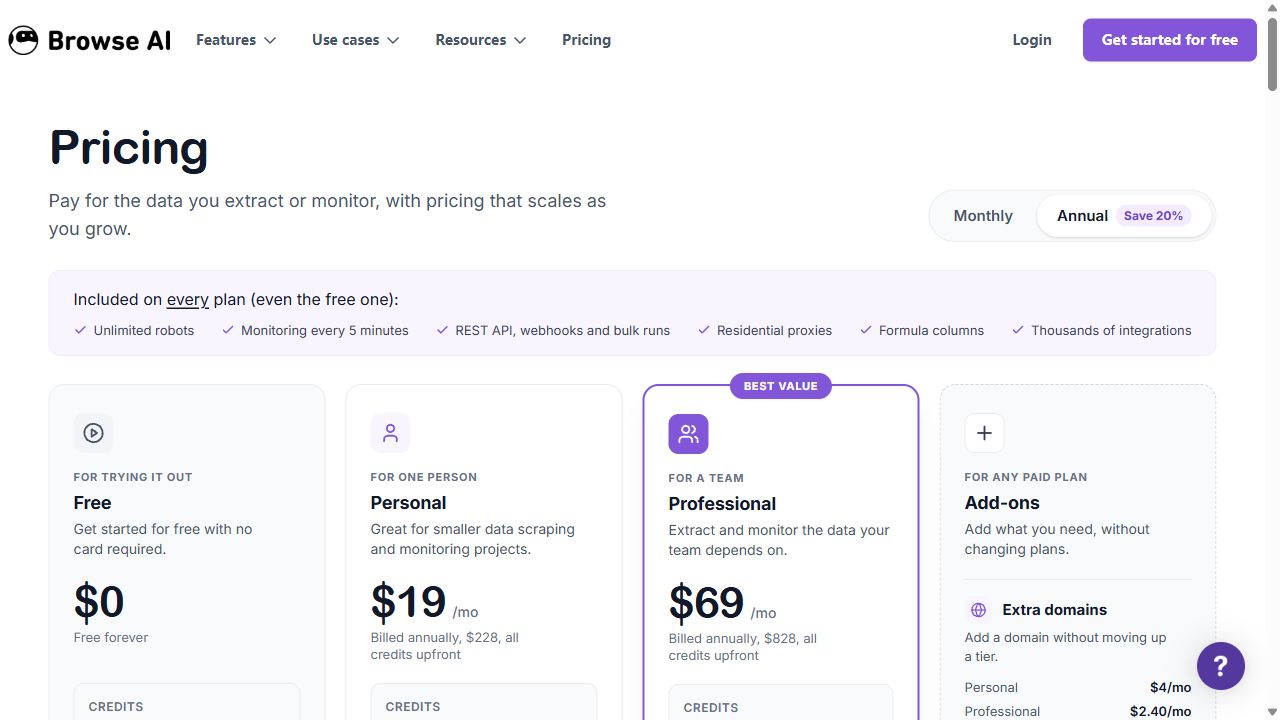
| Price | Personal $48 / month2,000 monthly credits and 5 websites. Annual option $228 for 12,000 credits ($19 / month equivalent) |
|---|---|
| Best for | Researchers who want to record a task and monitor website changes in the cloud. |
| Free / trial limits | 50 credits / month · unlimited robots · 2 websites |
| Key feature | Record-and-extract robots, recurring monitoring, and data integrations. |
| Main limitation | Detail-page visits and premium sites add credits; unlimited robots does not mean unlimited websites. |
Browse AI is a good candidate when you want a recorded extraction task that can also monitor a site for changes. A small product list or a regularly checked directory is a useful starting job.
The meaningful allowance is credits and websites, not the unlimited robot count. Extracting a list and then visiting every detail page consumes more than collecting the list alone. Premium sites can require more credits per task.
Its annual Personal price buys 12,000 credits upfront for the year. The monthly Personal option includes 2,000 credits each month, so these two prices do not buy identical volumes.
Consider it for small monitored datasets. Test both list pages and detail pages before estimating the recurring budget.
2. ParseHub: a visual project-based scraper
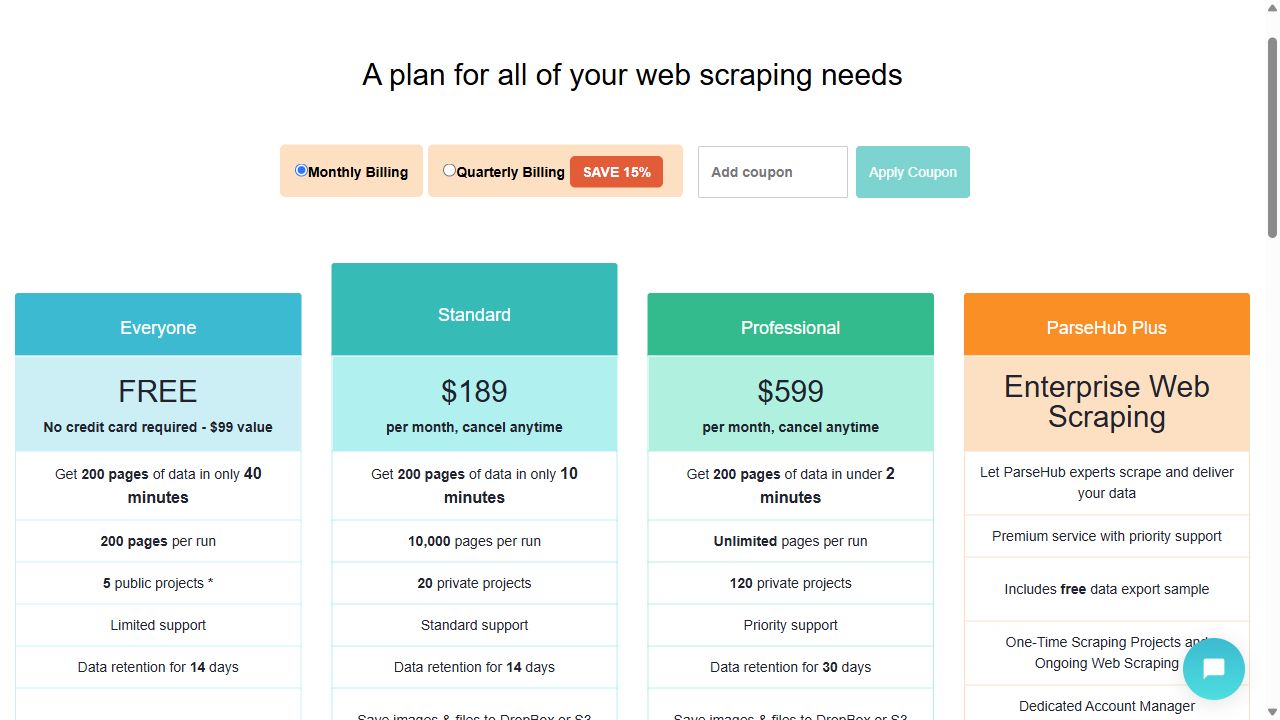
| Price | Standard $189 / month20 private projects · 10,000 pages per run · scheduling |
|---|---|
| Best for | Researchers configuring repeatable extraction without writing crawler code. |
| Free / trial limits | 200 pages per run · 5 public projects · 14-day data retention |
| Key feature | Visual extraction projects with paid scheduling and private projects. |
| Main limitation | Free project designs and run data may be shared; private projects require a paid plan. |
ParseHub is one of the closer alternatives if you want to keep a visual, project-based scraping approach. The free plan lets you evaluate a small extraction job before buying a larger allowance.
The important restriction is visibility. Free projects are public, and the pricing page says their designs and run data may be shared with other users. That can rule out the free tier for a private research brief.
Standard adds private projects, larger page limits, and scheduling. Test pagination, missing values, and different page layouts before moving a recurring Octoparse task. Page limits alone do not establish whether the resulting rows are complete.
A relevant visual alternative. Treat project privacy and scheduling as buying criteria alongside the page allowance.
3. Web Scraper: selector-based browser extraction
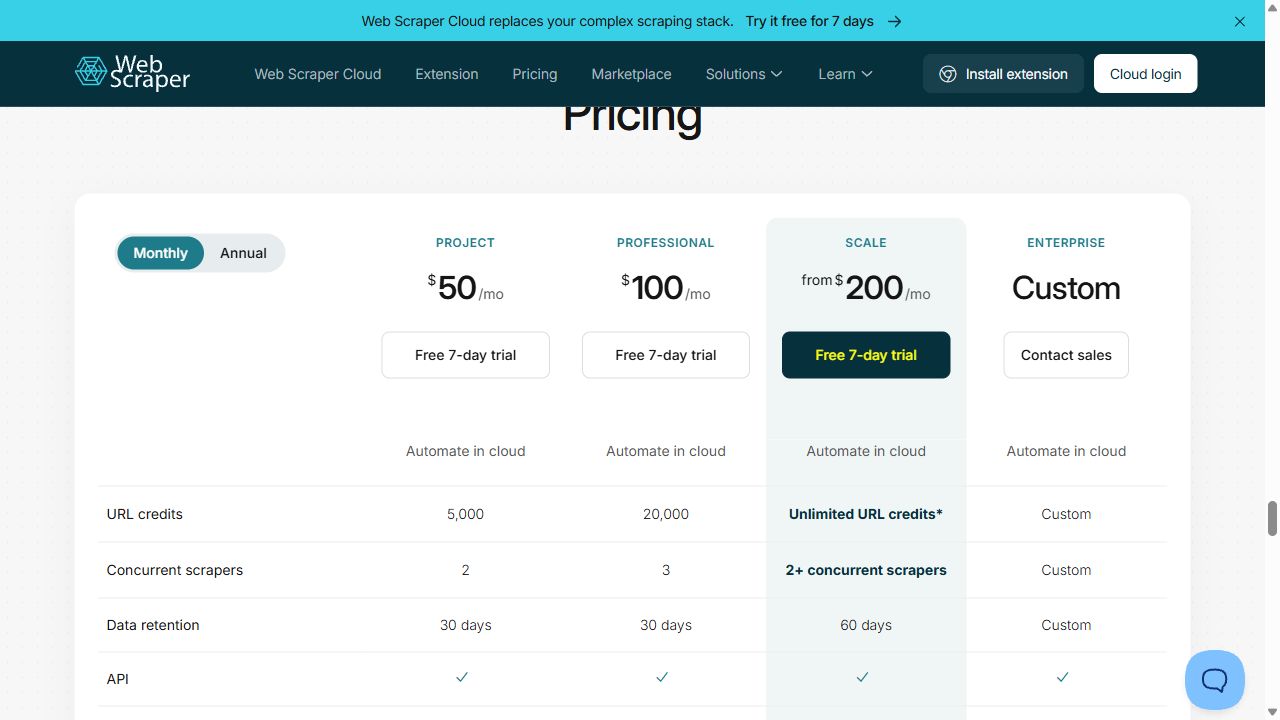
| Price | Free extension; Cloud Project $50 / monthCloud Project lists 5,000 URL credits and 2 concurrent scrapers in the live monthly view |
|---|---|
| Best for | Users comfortable describing page navigation with a selector sitemap. |
| Free / trial limits | Browser extension for local use; separate Cloud trial lasts 7 days |
| Key feature | Selector sitemaps with a separate service for scheduled cloud execution. |
| Main limitation | Local browser use and cloud automation are different products; loaded URLs are not output rows. |
Web Scraper is worth considering when a selector sitemap gives you enough control over what to collect and which links to follow. The browser extension is the free local starting point; Cloud is the separate paid execution service.
For a directory, your sitemap might follow category pages, pagination, and business detail links. Each navigation can affect the cloud URL budget even when it produces no useful row.
The live monthly pricing view shows Project at $50 with 5,000 URL credits. Check the selected billing mode and plan-specific export integrations before moving an unattended job. An extension installed in your browser is not itself a cloud scheduler.
A useful free local option for selector-based tasks. Evaluate Cloud separately when schedules and remote execution matter.
4. Apify: ready-made scrapers and custom cloud jobs
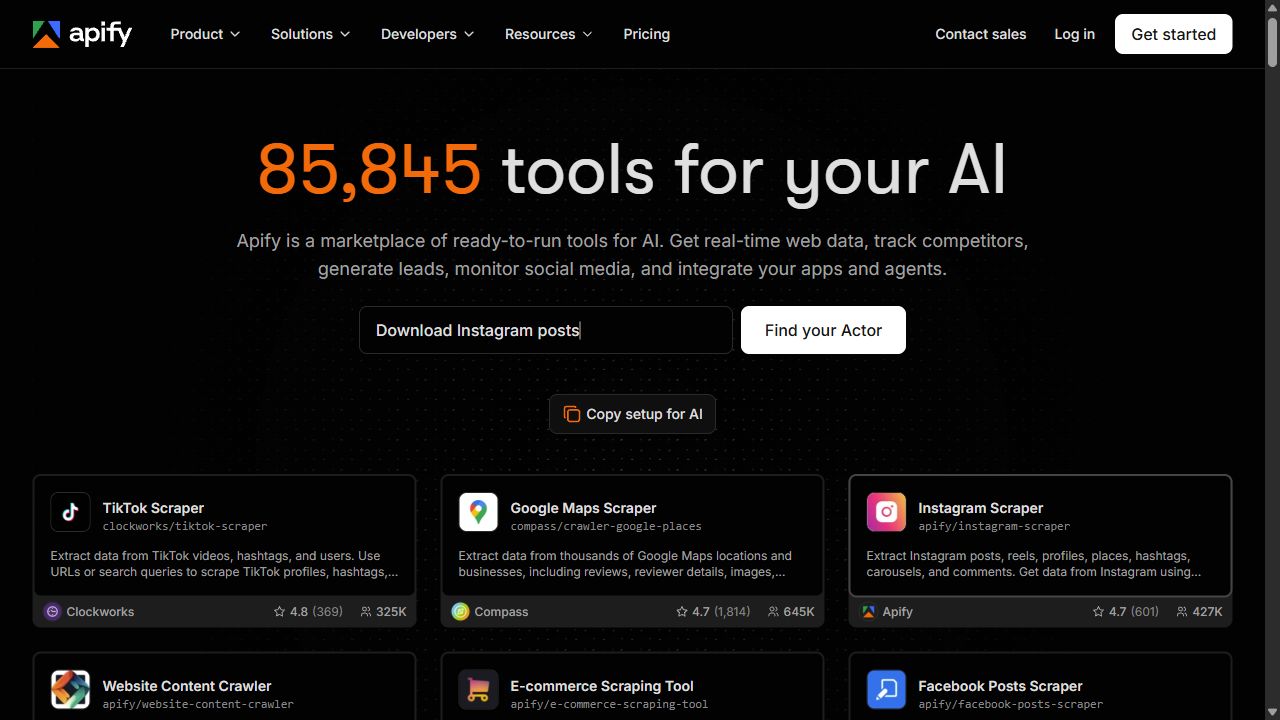
| Price | Starter $19 / month + usage$19 prepaid usage; Actor and platform charges draw from that allowance |
|---|---|
| Best for | Teams combining supported scrapers with APIs, schedules, or custom code. |
| Free / trial limits | $5 of usage each month · no card required |
| Key feature | An Actor marketplace and hosted runtime for extraction and automation. |
| Main limitation | Actor inputs, outputs, prices, and maintenance differ by developer. |
Apify is useful when you want to start with a source-specific Actor or add custom logic around a collection job. Some Actors provide a ready-made input form, while custom programs give developers more control than a visual extraction recipe.
For an ecommerce feed, inspect the actual Actor’s product identifiers, price variants, and pagination behavior before moving the task. A marketplace listing is not evidence that every field in your current export is covered.
Your Octoparse configuration will not become an Actor automatically. Rebuild the inputs and schedule, map the output fields, and test the complete delivery path. Use the Actor’s own billing model and a representative run to estimate cost.
Consider it for a verified source Actor or custom hosted job. Check output compatibility before replacing the visual task.
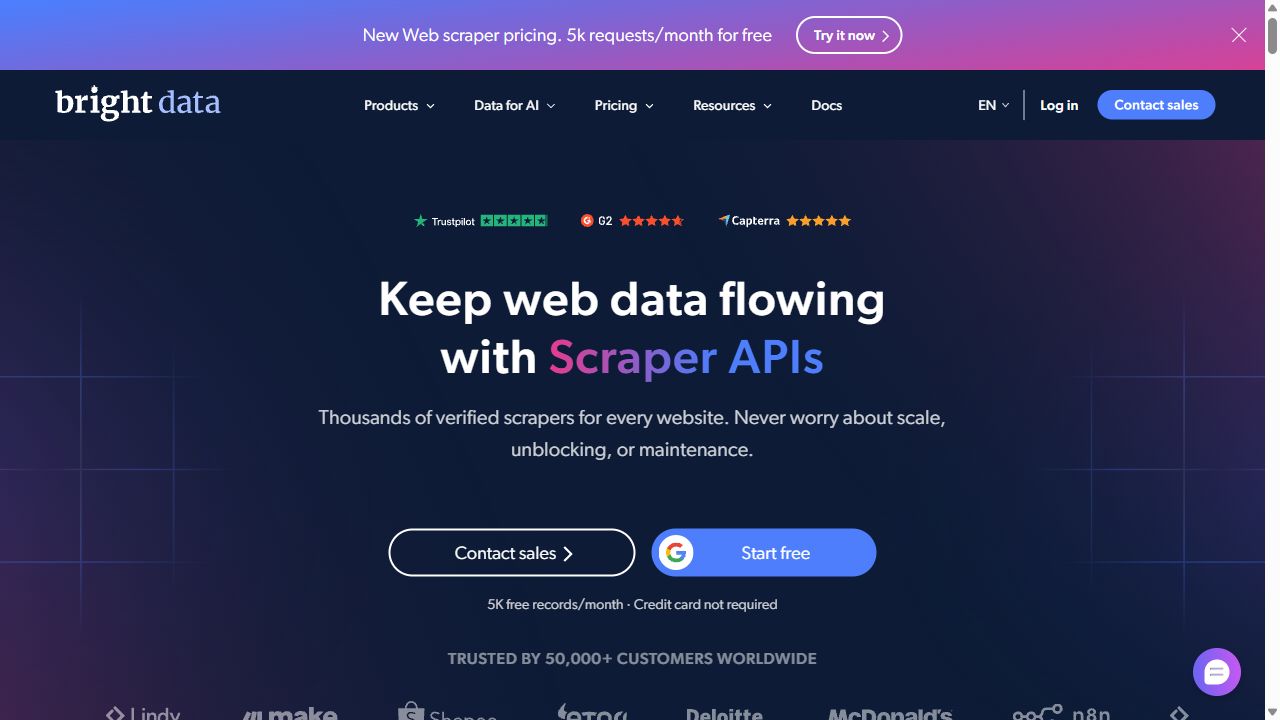
5. Bright Data: managed scraper APIs
| Price | $1.50 / 1,000 recordsWeb Scraper API pay-as-you-go pricing |
|---|---|
| Best for | Developers feeding structured website data into an application. |
| Free / trial limits | 5,000 records / month listed for the Web Scraper API |
| Key feature | Maintained scraper APIs with structured JSON, NDJSON, or CSV delivery. |
| Main limitation | Check the specific scraper, required inputs, output fields, and delivery method. |
Bright Data is the candidate when your source is covered by a maintained scraper and the output can go directly into an application. Its Web Scraper API supplies structured results, with delivery options such as an API or webhook.
For a regular product-data job, compare the supported scraper’s identifiers, prices, availability, and source coverage with your Octoparse export. A maintained schema can be useful when your team would otherwise keep adjusting the visual task.
The Web Scraper API lists a recurring 5,000-record free tier and pay-as-you-go pricing beyond that. Those terms do not cover every Bright Data service. It is a different setup model from drawing a visual recipe for an arbitrary page.
Choose it when the maintained source and schema fit the job. Keep a visual tool when you need to configure an unsupported page yourself.
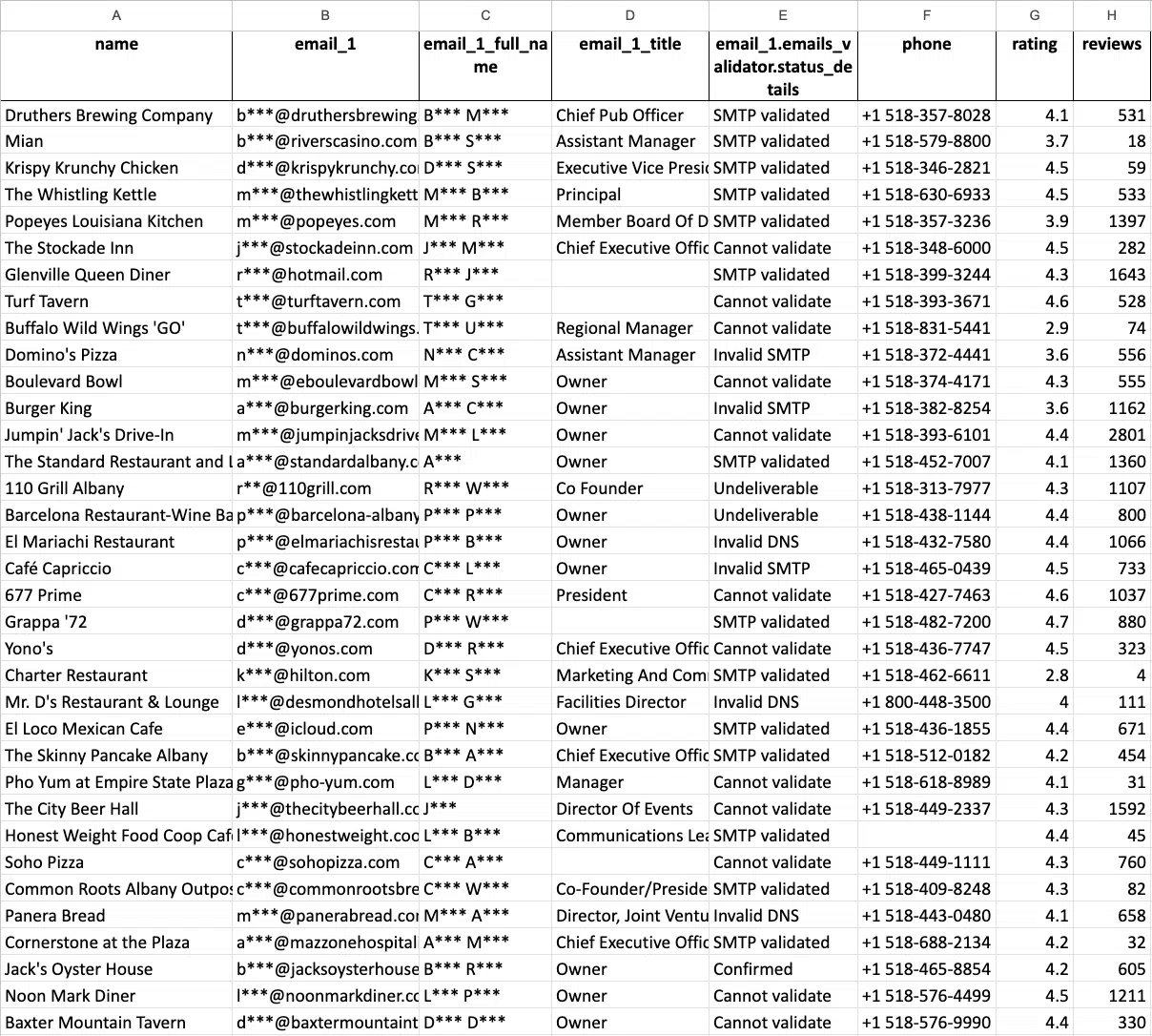
6. Outscraper: occasional Google Maps exports
| Price | $3 / 1,000 Maps recordsUsage from 501 to 100,000 businesses; then $1 / 1,000 above that tier |
|---|---|
| Best for | Teams that want Maps records without a recurring subscription. |
| Free / trial limits | First 500 Maps businesses; tiers reset every 30 days |
| Key feature | Google Maps business exports with optional website-contact enrichment. |
| Main limitation | Base Maps extraction and additional enrichment need separate budgeting. |
Outscraper is a specialist alternative if your Octoparse task exists mainly to export Google Maps businesses. It provides listing extraction and separately priced website-contact enrichment, without requiring you to maintain a general page recipe for that job.
For a periodic market-research list, start with the required listing fields and a small location sample. Check the returned business identifiers, duplicates, websites, and phone fields before expanding.
Its usage-based Maps price buys business records, not a complete outreach workflow. Website emails and other enrichment need their own budget. Keep a visual scraper for sources outside the selected service’s coverage.
A focused option for occasional Maps exports. Evaluate contact enrichment and the downstream handoff separately.
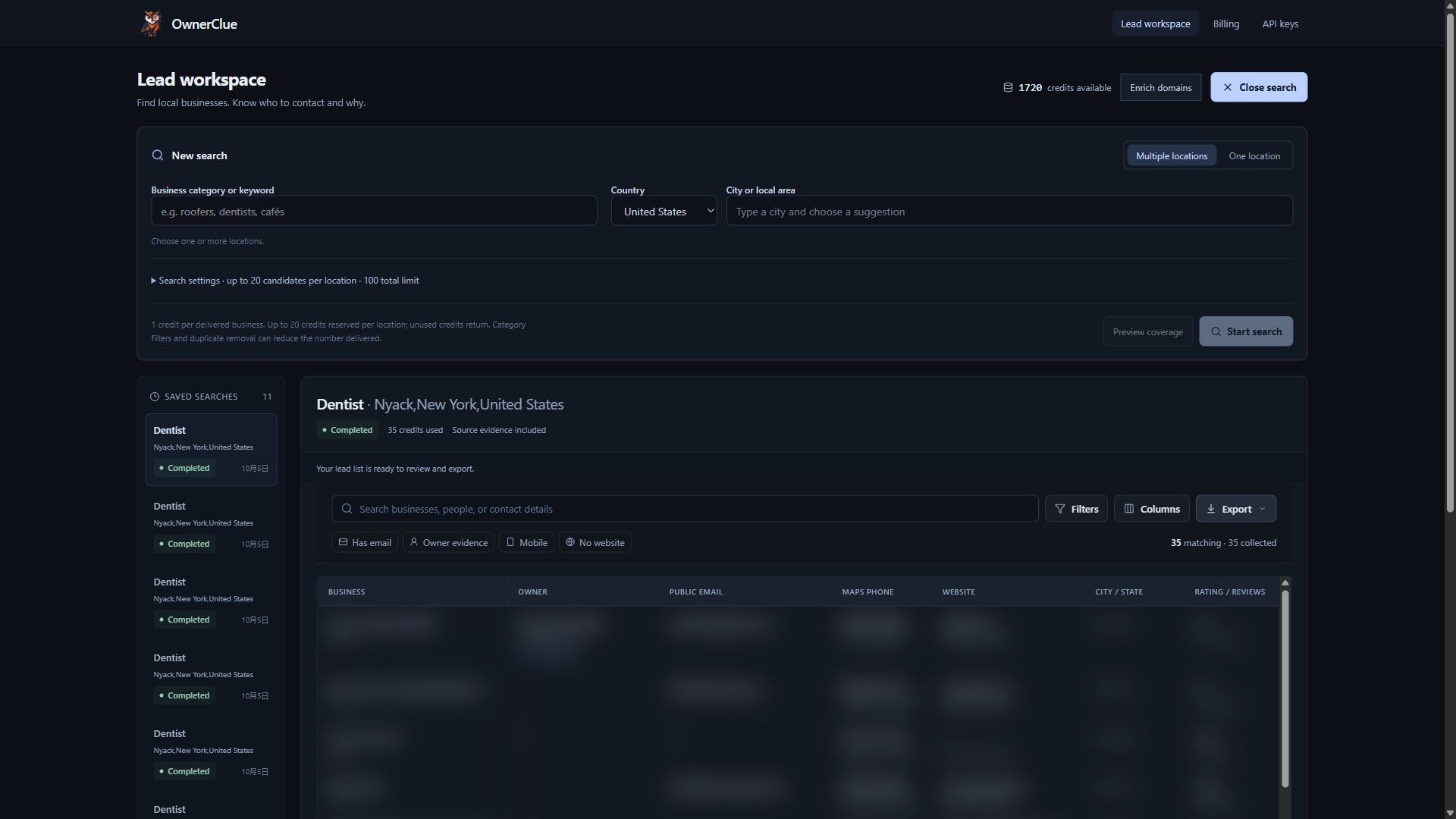
7. OwnerClue: local agency prospect research
| Price | Starter $35 / month10,000 credits shared across supported operations |
|---|---|
| Best for | Web design, local SEO, and marketing agencies researching local prospects. |
| Free / trial limits | One-time 20-credit trial · 14 days · no card required |
| Key feature | Local market search, website research, opportunity clues, and sourced contacts in one prospecting workspace. |
| Main limitation | Public contacts and owners can be missing. Mailbox-delivery verification is separate. |
OwnerClue is relevant when the final output is a local agency’s prospect shortlist. It combines industry-and-location search with website observations, sourced contacts, review filters, and CSV export.
For a web designer researching roofers, the useful context may include no listed website, a site the crawler could not read, or no booking link found on inspected pages. Available owner/founder evidence and public contact routes help guide the next manual check. These clues do not establish buying intent or replace a full website audit.
Compared with configuring a general scraper and assembling a research sheet, the attraction is having the findings organized around each business. OwnerClue does not offer an arbitrary-page visual extraction builder. Contact fields can be missing, email delivery is not verified, and dedicated GoHighLevel or Instantly formats are file handoffs rather than native sync.
Consider it for recurring agency prospect research. Choose a general scraper when your brief involves other sources or custom fields.
Prices and free limits, side by side
USD figures distinguish monthly billing, annual equivalents, and usage-based charges. Free plans and evaluation offers appear separately in each row.
| Tool | Free / trial access | Paid starting point | Key feature |
|---|---|---|---|
| Octoparse | 10 crawlers · local execution · 50,000 exported records / month | Standard from $83 / monthDesktop Standard help-center starting price; the monthly table lists $83 / $119 configurations | Visual extraction tasks, with cloud execution and scheduling on paid plans. |
| Browse AI | 50 credits / month · unlimited robots · 2 websites | Personal $48 / month2,000 monthly credits and 5 websites. Annual option $228 for 12,000 credits ($19 / month equivalent) | Record-and-extract robots, recurring monitoring, and data integrations. |
| ParseHub | 200 pages per run · 5 public projects · 14-day data retention | Standard $189 / month20 private projects · 10,000 pages per run · scheduling | Visual extraction projects with paid scheduling and private projects. |
| Web Scraper | Browser extension for local use; separate Cloud trial lasts 7 days | Free extension; Cloud Project $50 / monthCloud Project lists 5,000 URL credits and 2 concurrent scrapers in the live monthly view | Selector sitemaps with a separate service for scheduled cloud execution. |
| Apify | $5 of usage each month · no card required | Starter $19 / month + usage$19 prepaid usage; Actor and platform charges draw from that allowance | An Actor marketplace and hosted runtime for extraction and automation. |
| Bright Data | 5,000 records / month listed for the Web Scraper API | $1.50 / 1,000 recordsWeb Scraper API pay-as-you-go pricing | Maintained scraper APIs with structured JSON, NDJSON, or CSV delivery. |
| Outscraper | First 500 Maps businesses; tiers reset every 30 days | $3 / 1,000 Maps recordsUsage from 501 to 100,000 businesses; then $1 / 1,000 above that tier | Google Maps business exports with optional website-contact enrichment. |
| OwnerClue | One-time 20-credit trial · 14 days · no card required | Starter $35 / month10,000 credits shared across supported operations | Local market search, website research, opportunity clues, and sourced contacts in one prospecting workspace. |
Official sources are linked under each product. The publisher’s trial is one-time. Credit, page, URL, seat, and record allowances measure different things; confirm the selected configuration before purchasing.
Octoparse’s Desktop help center lists Standard from $83 per month, with $83 / $119 monthly configurations in its table. Its free plan is local; cloud extraction and scheduling change the plan comparison.
For the alternatives, count the work behind the final row. ParseHub caps pages per run and project visibility. Web Scraper Cloud uses URL credits. Browse AI charges credits for list rows, detail-page visits, screenshots, and premium-site conditions.
The $19 monthly equivalent for Browse AI Personal is billed annually at $228 for 12,000 credits upfront. Its $48 monthly option includes 2,000 credits each month. A lower annual headline does not describe the same allowance. For an API or Actor, include required rendering, extraction, and downstream processing before judging the price.
Recurring job cost = extraction volume × run frequency + required cloud, enrichment, and handoff costs
How to replace your Octoparse workflow
Preserve the current task’s expected output before changing its setup model. Rebuild and inspect one representative job first.
| Current task | Replacement path | Carry over | Pilot check |
|---|---|---|---|
| Visual list + detail extraction | Browse AI, ParseHub, or Web Scraper | Start URLs, fields, pagination rules, exclusions | Different layouts, detail joins, empty fields, and privacy |
| Unattended supported-source feed | Apify or Bright Data | Source URLs, identifiers, output schema, schedule | Field coverage, rendered output, delivery format, and cost |
| Local agency prospect list | Outscraper or OwnerClue | Trade, territory, required contacts, research criteria | Business matches, contact sources, exclusions, and CSV import |
1. Rebuild a visual extraction task
Choose start pages that cover different layouts, pagination, and missing fields. Recreate the list and detail navigation in the candidate tool, then compare the output with your current export. Preserve stable identifiers for joins. Confirm project privacy and save the completed data before the chosen service’s retention window ends.
2. Move a recurring feed to an Actor or API
Check whether the maintained scraper or Actor covers the same source variants and required fields. Run a small URL set, map identifiers and timestamps, and test the API or webhook delivery into its destination. Recreate the schedule only after the pilot passes. A source API does not import your Octoparse visual configuration.
3. Replace a local-business research recipe
Start with the trade and territory your agency sells to. Use Outscraper for listing records, or OwnerClue when website observations and sourced contact review belong in the shortlist. Inspect missing fields and website associations, exclude poor fits, and export the accepted businesses. A specialist can take over this job while you keep Octoparse for unrelated sources.
- Save the output brief
- Rebuild list and detail steps
- Check rows and execution
- Schedule the accepted task
Which alternative should you choose?
For a researcher who wants visual setup
Start with Browse AI for recorded extraction and monitoring. Compare ParseHub for a project-based approach when its page and privacy limits fit. Use Web Scraper’s extension for a manual local task if selector sitemaps give enough control. Decide about cloud execution separately.
For a team running a recurring data feed
Choose Apify when a source Actor or custom program covers the brief. Consider Bright Data when its maintained supported-source schema matches the output your application needs. Test the delivery path and cost at the intended run frequency before moving the feed.
For an agency researching local prospects
Use Outscraper for an occasional Maps file. Consider OwnerClue when discovery, website observations, sourced contacts, and shortlist export are the recurring job. Keep a general scraper for arbitrary sites and custom page fields.
When to keep Octoparse
Keep Octoparse when the current visual task already handles the layouts, pagination, and fields you need. A working configuration has value, especially when its exported data reaches the destination with little cleanup.
If you only run a small job manually, check whether the free local plan is enough. If cloud scheduling is the requirement, compare the relevant paid configuration with a complete replacement workflow. Moving to another visual tool still requires rebuilding and validating the task; a different interface does not guarantee fewer missing rows.
Frequently asked questions
What is the best free Octoparse alternative?
Web Scraper’s browser extension is a useful free local option. ParseHub offers limited public projects, and Browse AI includes 50 monthly credits across two websites. The choice depends on local execution, cloud monitoring, and privacy. Octoparse’s own free local plan may already cover a small manually run job.
Which alternative is closest to Octoparse’s visual approach?
ParseHub is a relevant project-based candidate; Browse AI uses recorded robots; Web Scraper uses selector sitemaps. Try the same list and detail pages before choosing. The approaches differ in how much navigation and extraction configuration you maintain.
Can I import my Octoparse task directly?
Do not assume a direct task import. Exported rows can be mapped, but the visual task’s navigation, pagination, fields, and schedules need rebuilding. Preserve the expected output schema and validate the candidate on representative pages before retiring the old task.
Are ParseHub’s free projects private?
No. Its pricing page states that free projects are public and their designs and run data may be shared. Paid Standard includes private projects. Treat that distinction as a requirement for a private research brief, not just another page-limit difference.
Does unlimited robots mean unlimited data?
No. Browse AI still limits credits and websites. Detail-page visits, monitoring frequency, screenshots, and premium-site conditions affect consumption. Estimate the entire recurring task rather than multiplying the free credit allowance by the maximum list rows alone.
Can OwnerClue scrape any page visually?
No. It organizes local business discovery and agency website/contact research. It does not expose a general visual recipe builder for arbitrary pages. It is an alternative for a local prospecting job, while the other visual or API tools cover broader extraction tasks.
Test the workflow before you switch
Choose the setup and execution model that fits the job. Compare representative list and detail pages, preserve the required fields, and validate one recurring handoff before rebuilding every task.
If local agency prospect research is your priority, try a small list in OwnerClue. The one-time trial includes 20 credits, valid for 14 days, with no card required.