
6 PhantomBuster Alternatives for Outreach and Lead Research (2026)
PhantomBuster connects extraction, enrichment, and outbound workflows. The right replacement depends on which of those steps you actually use. A LinkedIn sequence tool can replace follow-ups; a Maps tool can replace business discovery. Neither automatically replaces the other.
Quick answer
For LinkedIn and email follow-ups, compare Dripify. For LinkedIn-first sequences, look at Waalaxy, checking Business if you also need email campaigns.
For custom collection and automation, consider Apify. Bardeen fits a supported scraping-and-enrichment handoff to other tools.
For local business prospects, choose Outscraper for occasional listing exports or OwnerClue for agency research with website context and sourced contacts. These replace the local-list job, not LinkedIn sending.
Keep PhantomBuster if its existing extraction and outbound workflows already cover several sources you need.
Which PhantomBuster alternative fits your task?
3 quick questions · optionalHow we compared these alternatives
We checked official product pages, documentation, and pricing for the work each tool can take over, the cost to start, free or trial limits, and what you would need to rebuild. Prices were checked on October 12, 2026.
OwnerClue publishes this guide and is included below. This is a documentation-based comparison, not a performance benchmark. Website captures identify products and plan terms; official demonstrations and the redacted workspace are labeled in their captions.
| What we compared | Why it matters |
|---|---|
| Source and channel | LinkedIn profiles, social activity, and Maps businesses require different workflows. |
| Extraction or sending | A list-building tool does not necessarily manage invitations, messages, or replies. |
| Finished-workflow cost | Seats, execution hours, slots, and enrichment credits are different billing units. |
| State and handoff | Exported contacts do not preserve sequence history, reply status, or exclusion lists automatically. |
On this page
Why look for alternatives to PhantomBuster?
A subscription can look expensive when you use only one small part of the platform. Before switching, write down the workflow you are buying: the source of the prospects, the fields you collect, the enrichment you add, and the actions that happen afterward.
If the friction is follow-up management, an outreach-focused tool may be the closer replacement. Compare sequence logic, reply handling, account requirements, and seats. A scraper with a cheaper record price does not solve this job.
If the friction is collection and handoff, compare supported extraction, field mapping, scheduling, and integrations. A profile URL, a business email, and a completed outreach sequence are three different outputs.
If the prospects are local businesses, decide whether you need Maps records or an agency shortlist with website research. You may be changing the discovery method while keeping your sending tool. That is a narrower switch than replacing all of PhantomBuster.
The 6 PhantomBuster alternatives
These tools take over different parts of the job. Each uses the same quick-fact format, followed by a practical use case and a limitation that could change your choice.
1. Dripify: LinkedIn and email sequences
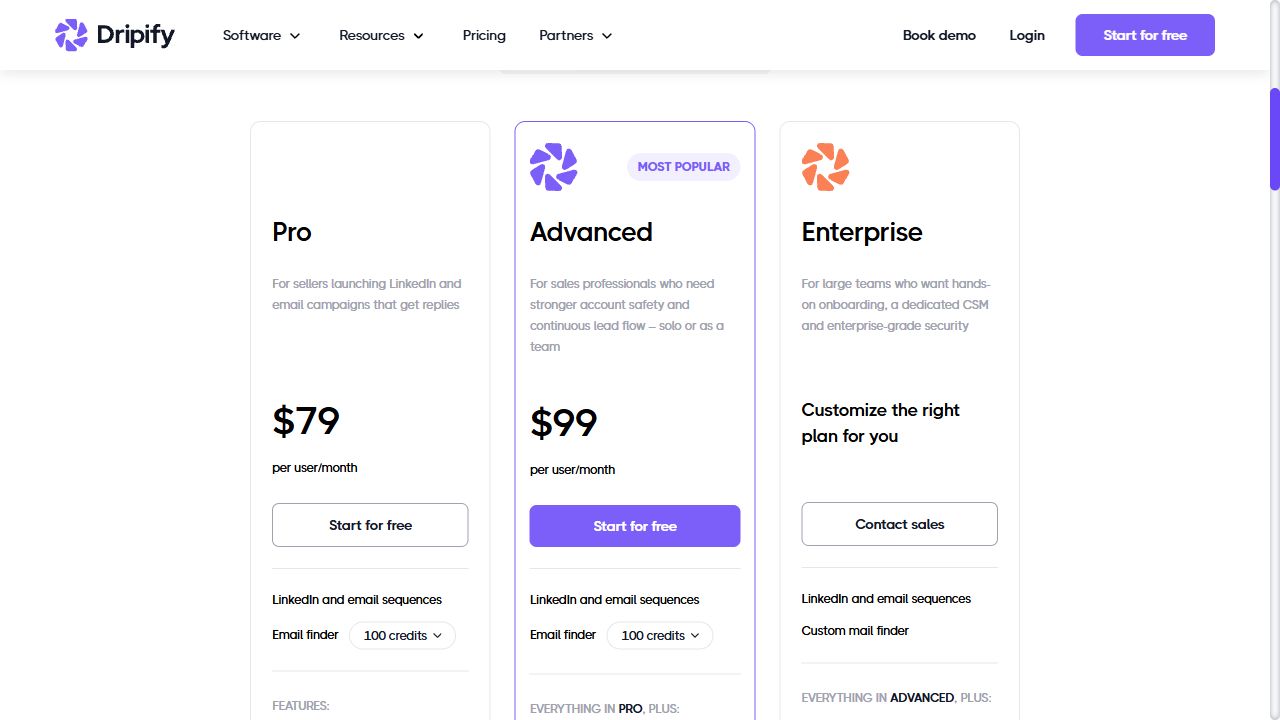
| Price | Pro $79 / user / month$59 / user / month equivalent with annual billing; 100 email finder credits listed |
|---|---|
| Best for | Sales teams whose main job is running and following up outreach campaigns. |
| Free / trial limits | 7-day trial · no card required |
| Key feature | LinkedIn and email sequences with campaign analytics and an inbox. |
| Main limitation | Seats and email credits affect cost; this does not replace broad social-platform extraction. |
Dripify is the closer match when you mainly use PhantomBuster to move prospects through LinkedIn and email follow-ups. The campaign, inbox, and reporting are organized around outreach rather than separate extraction jobs.
For a seller working a defined prospect list, that can make the sending workflow easier to review. It is a narrower choice if you also collect Instagram activity or run unrelated website scrapers.
The live pricing cards show Pro and Advanced. The FAQ still mentions Basic, so this guide uses the visibly selectable Pro plan rather than assuming the older entry tier is available.
Consider it for an outreach-led workflow. Compare the number of users, sequence controls, and email allowance you need.
2. Waalaxy: LinkedIn-first prospecting
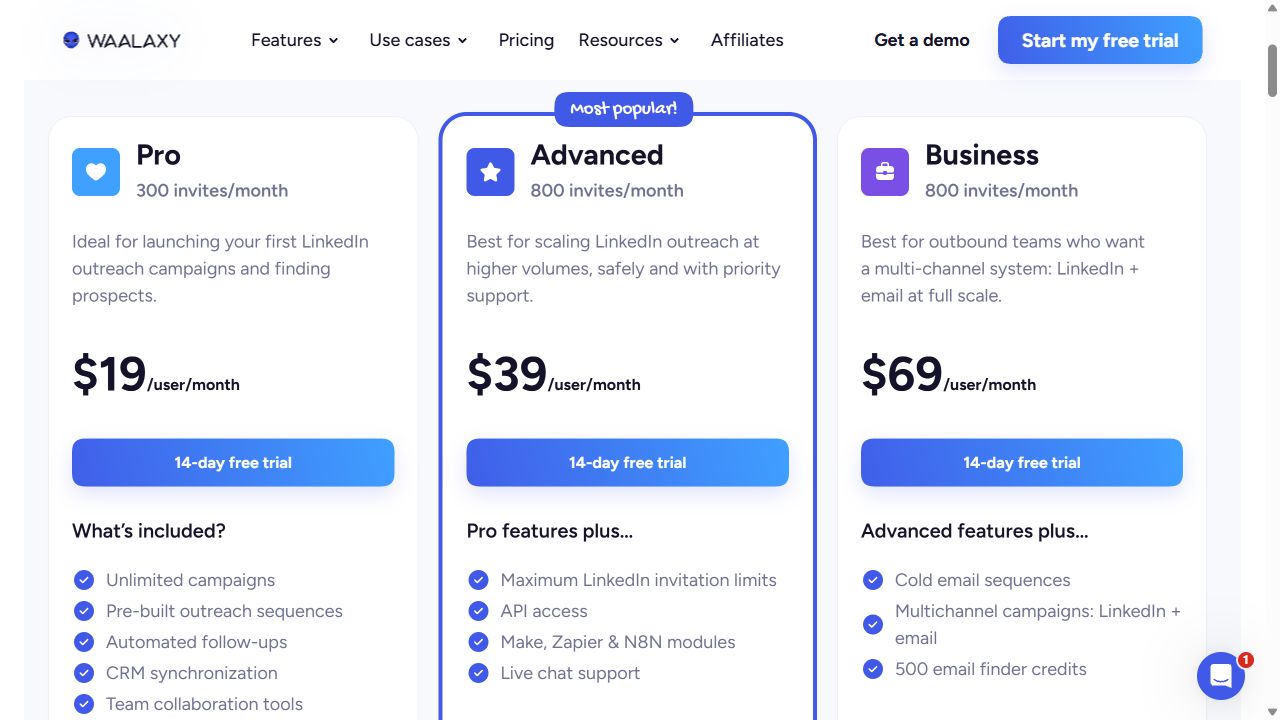
| Price | Pro $19 / user / monthUSD monthly view; 300 invitations listed. Business $69 adds LinkedIn + email campaigns |
|---|---|
| Best for | Solo sellers and small teams using repeatable LinkedIn follow-ups. |
| Free / trial limits | 14-day trial advertised · not an ongoing free plan in this comparison |
| Key feature | Prebuilt LinkedIn sequences, follow-ups, and plan-dependent email campaigns. |
| Main limitation | Pro is not the multichannel Business plan; invitation allowances are not guaranteed deliveries. |
Waalaxy is worth a look when LinkedIn prospecting is the main job and you want prebuilt follow-up sequences. The Pro plan shown in the USD monthly view lists 300 invitations, while Business adds combined LinkedIn and email campaigns.
Those are different buying decisions. A reader replacing a multichannel PhantomBuster flow should compare Business, not just the lowest Pro price.
The pricing page varies by currency and billing selection. We switched the live page to monthly billing and recorded its USD cards. Confirm the currency and final checkout terms for your account.
A focused option for LinkedIn sequences. Match the plan to your channels before comparing the subscription price.
3. Apify: ready-made scrapers and custom cloud jobs
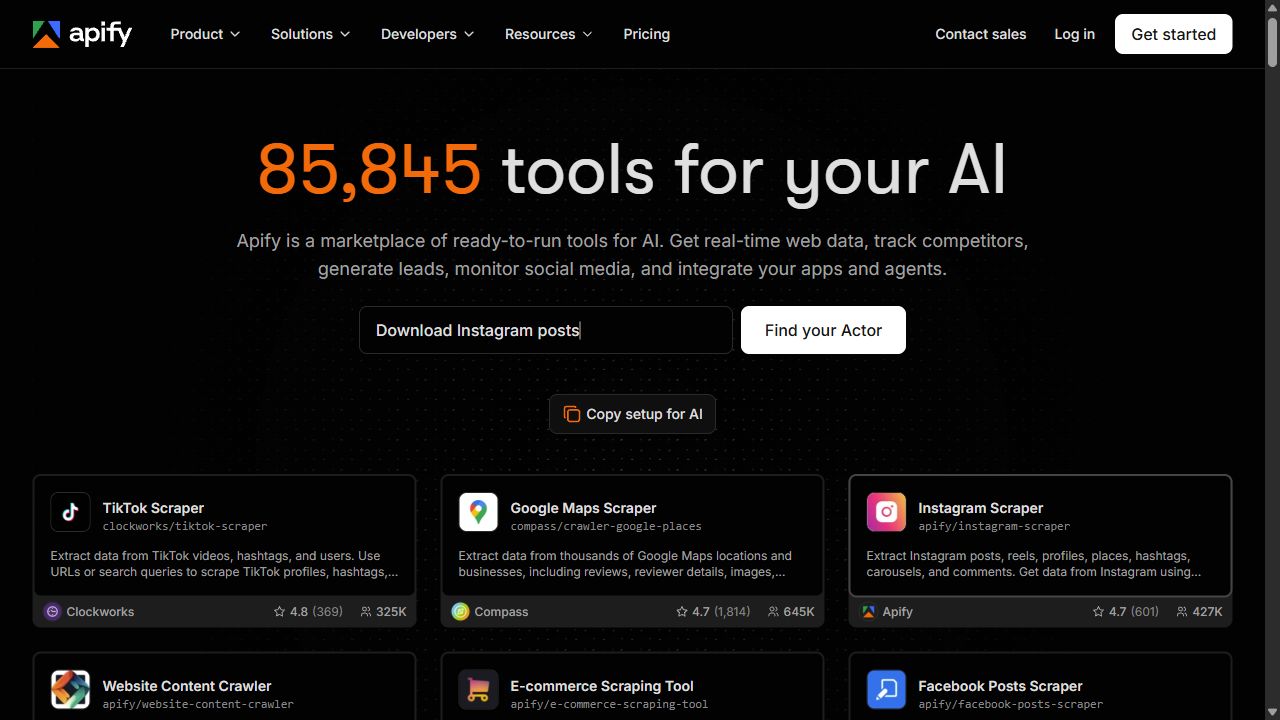
| Price | Starter $19 / month + usage$19 prepaid usage; Actor and platform charges draw from that allowance |
|---|---|
| Best for | Teams combining supported scrapers with APIs, schedules, or custom code. |
| Free / trial limits | $5 of usage each month · no card required |
| Key feature | An Actor marketplace and hosted runtime for extraction and automation. |
| Main limitation | Actor inputs, outputs, prices, and maintenance differ by developer. |
Apify is the candidate when your main need is collection or a custom program rather than an outreach inbox. You can start with a relevant social or business-data Actor and schedule its output for another tool.
For example, collecting posts from a defined set of public profiles is a source-specific extraction task. Check which fields the selected Actor returns, how it handles missing records, and the price of a representative run.
Moving data to Apify does not recreate a PhantomBuster sending sequence. Keep the delivery step separate, map the dataset to its required columns, and check the maintenance history of the Actor you select.
Choose it for a verified extraction or custom automation task. Treat outreach as a separate workflow unless the selected Actor explicitly implements it.
4. Bardeen: scraping and enrichment workflows
| Price | Premium $50 / month1,000 credits listed; $480 annually for 12,000 credits. Basic scraping starts at $10 / month |
|---|---|
| Best for | GTM teams connecting collection, enrichment, qualification, and a spreadsheet handoff. |
| Free / trial limits | 100 free credits advertised; confirm included actions and renewal in your account |
| Key feature | Scraping, enrichment, and AI steps connected in an agent workflow. |
| Main limitation | Each action can consume credits; a finished prospect can require several charged rows. |
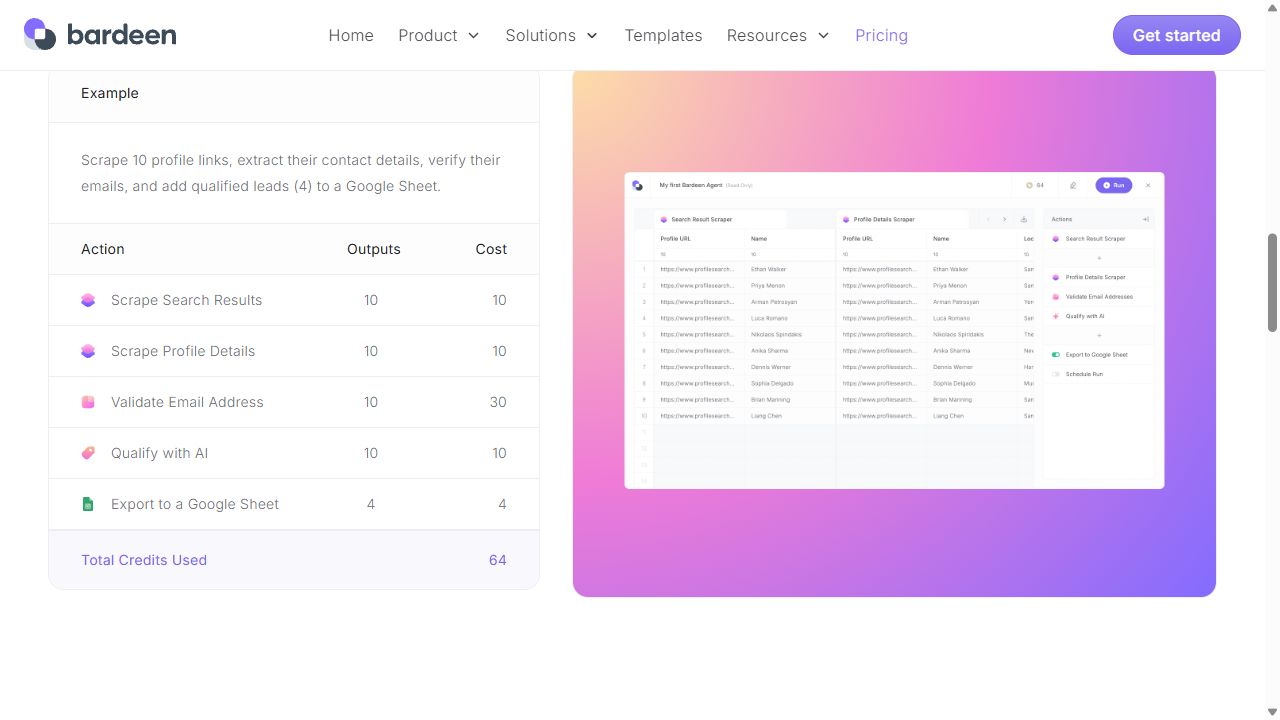
Bardeen fits the workflow between finding a prospect and handing that prospect to another tool. Its public example combines scraping profile links, extracting details, validating emails, qualifying rows, and exporting to Google Sheets.
That is useful when the spreadsheet handoff is where your current flow needs work. It is not the same purchase as a dedicated LinkedIn sending sequence. Check the supported scraper and integration for your source.
Premium is the price compared here for enrichment workflows. The cheaper Basic scraping plan should not be treated as equivalent. Budget the actions in the whole workflow, not just the number of final contacts.
Choose it for a supported collection-to-handoff workflow. Test the credit consumption of the complete chain.
5. Outscraper: occasional Google Maps exports
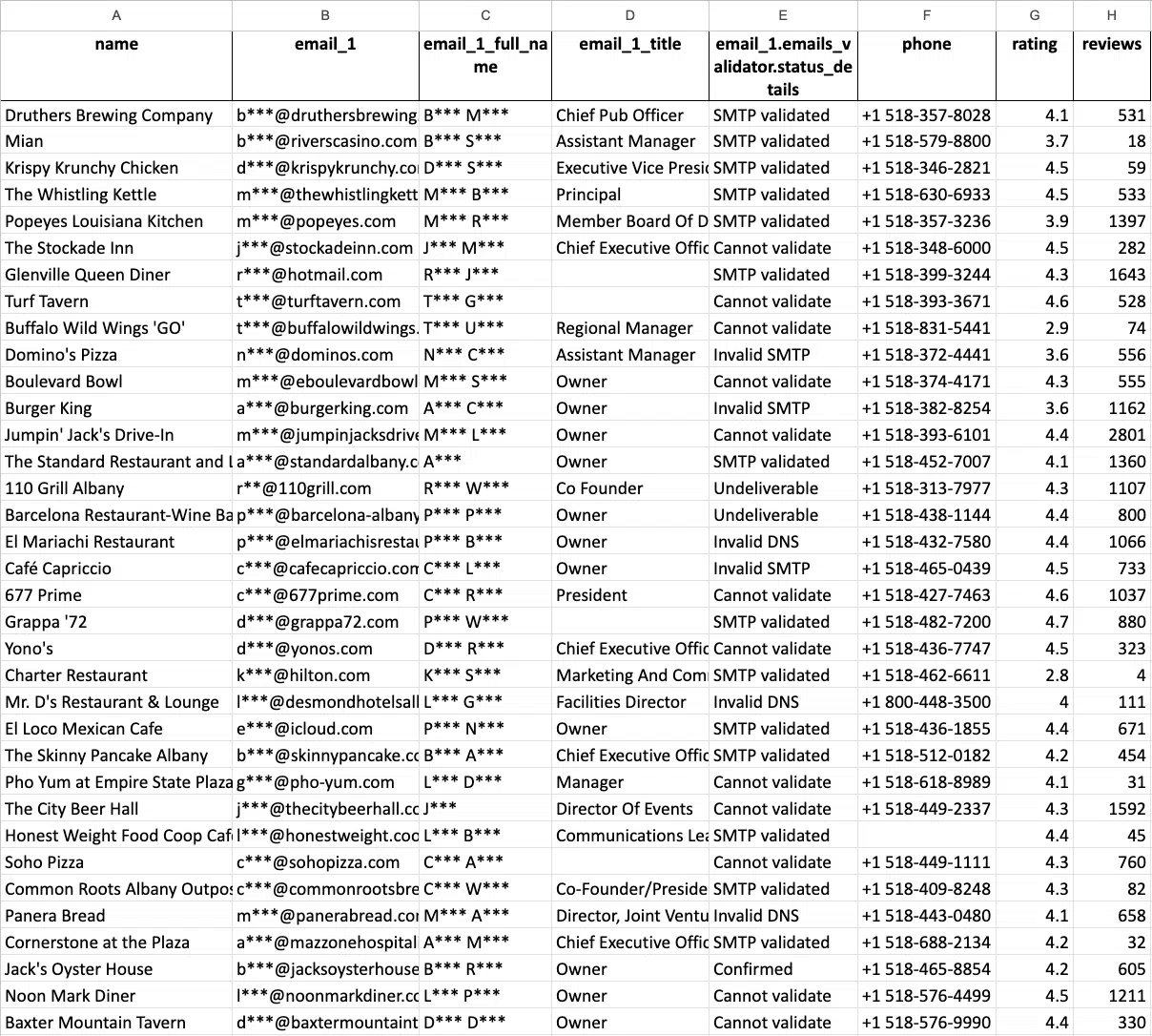
| Price | $3 / 1,000 Maps recordsUsage from 501 to 100,000 businesses; then $1 / 1,000 above that tier |
|---|---|
| Best for | Teams that want Maps records without a recurring subscription. |
| Free / trial limits | First 500 Maps businesses; tiers reset every 30 days |
| Key feature | Google Maps business exports with optional website-contact enrichment. |
| Main limitation | Base Maps extraction and additional enrichment need separate budgeting. |
Outscraper makes sense if your current PhantomBuster job is finding local businesses and exporting their listing fields. It is a specialist for this part of prospecting, with usage-based Maps extraction rather than a fixed outreach subscription.
If you sell bookkeeping to local trades, a category-and-location export may be enough to begin research. Names, websites, phones, categories, and review counts are different inputs from professional-profile activity.
Website emails use an additional enrichment service. Budget that separately and inspect missing contacts before expanding the job. Outscraper is not the replacement for LinkedIn invitations, social engagement triggers, or a reply inbox.
Consider it for an occasional local-business list. Keep or replace your outreach tool independently.
6. OwnerClue: local agency prospect research
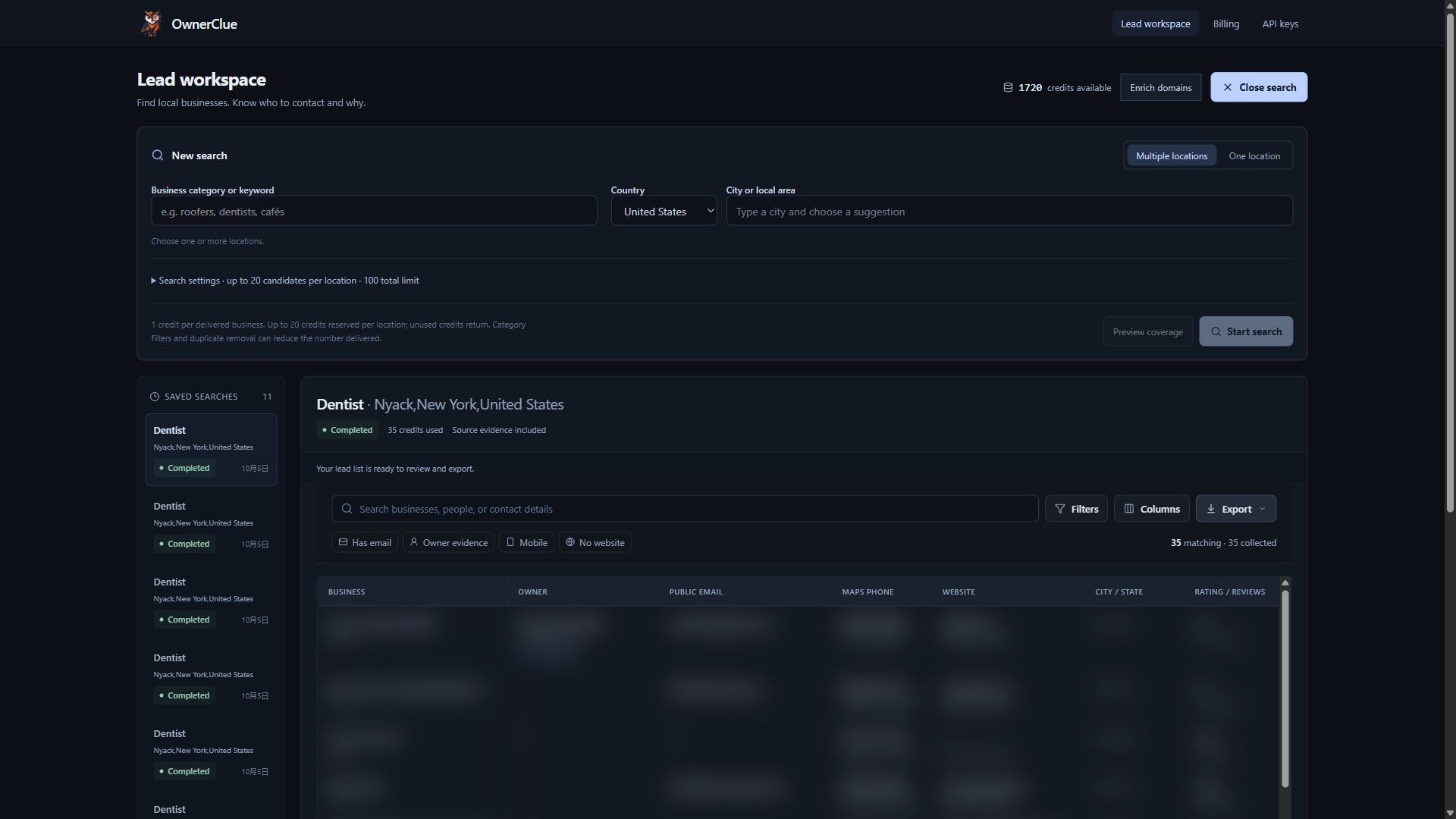
| Price | Starter $35 / month10,000 credits shared across supported operations |
|---|---|
| Best for | Web design, local SEO, and marketing agencies researching local prospects. |
| Free / trial limits | One-time 20-credit trial · 14 days · no card required |
| Key feature | Local market search, website research, opportunity clues, and sourced contacts in one prospecting workspace. |
| Main limitation | Public contacts and owners can be missing. Mailbox-delivery verification is separate. |
OwnerClue fits the local prospect research part of an agency’s work. Search a trade and supported locations, review the business and website findings, inspect available contacts and owner/founder evidence, then filter and export the shortlist.
For a web design agency researching roofers, no listed website or no booking link found can suggest which businesses to inspect first. Those observations provide context for manual research; they do not establish buying intent or a complete website audit.
The useful distinction is keeping discovery, website observations, sourced contacts, and export in one business record. OwnerClue does not automate LinkedIn invitations or messages. Contacts can be missing, mailbox delivery is not verified, and GoHighLevel or Instantly formats are CSV handoffs rather than native sync.
Consider it for repeated local agency research. Choose an outreach tool if sequence execution is the job you need to replace.
Prices and free limits, side by side
USD figures distinguish monthly billing, annual equivalents, and usage-based charges. Free plans and evaluation offers appear separately in each row.
| Tool | Free / trial access | Paid starting point | Key feature |
|---|---|---|---|
| PhantomBuster | Trial: 2 execution hours · 50 email credits · exports limited to 10 rows | Start $56 / month equivalent$672 billed annually · 5 slots · 20 execution hours / month | Ready-made profile extraction, contact enrichment, and social outreach workflows. |
| Dripify | 7-day trial · no card required | Pro $79 / user / month$59 / user / month equivalent with annual billing; 100 email finder credits listed | LinkedIn and email sequences with campaign analytics and an inbox. |
| Waalaxy | 14-day trial advertised · not an ongoing free plan in this comparison | Pro $19 / user / monthUSD monthly view; 300 invitations listed. Business $69 adds LinkedIn + email campaigns | Prebuilt LinkedIn sequences, follow-ups, and plan-dependent email campaigns. |
| Apify | $5 of usage each month · no card required | Starter $19 / month + usage$19 prepaid usage; Actor and platform charges draw from that allowance | An Actor marketplace and hosted runtime for extraction and automation. |
| Bardeen | 100 free credits advertised; confirm included actions and renewal in your account | Premium $50 / month1,000 credits listed; $480 annually for 12,000 credits. Basic scraping starts at $10 / month | Scraping, enrichment, and AI steps connected in an agent workflow. |
| Outscraper | First 500 Maps businesses; tiers reset every 30 days | $3 / 1,000 Maps recordsUsage from 501 to 100,000 businesses; then $1 / 1,000 above that tier | Google Maps business exports with optional website-contact enrichment. |
| OwnerClue | One-time 20-credit trial · 14 days · no card required | Starter $35 / month10,000 credits shared across supported operations | Local market search, website research, opportunity clues, and sourced contacts in one prospecting workspace. |
Official sources are linked under each product. The publisher’s trial is one-time. Credit, page, URL, seat, and record allowances measure different things; confirm the selected configuration before purchasing.
PhantomBuster’s Start plan lists five slots, 20 execution hours per month, and separate email credits. Its $56 monthly equivalent is billed annually at $672. The trial allows two execution hours and limits exports to ten rows.
A seat-based outreach subscription buys something different. For two sellers, multiply the selected per-user plan by two before comparing it with a workspace price. Then add any prospect discovery or email enrichment that is not included.
For local lists, measure accepted businesses rather than invitations sent. For sequences, measure contacts processed through the intended steps. Do not claim a cheaper tool from a record allowance alone when you still need another subscription to send and handle replies.
Monthly workflow cost = sending seats + discovery + enrichment + handoff costs
How to replace your PhantomBuster workflow
Choose the path matching the step you want to replace. Preserve the source list and campaign state before rebuilding the workflow.
| Current job | Replacement path | What to carry over | What needs rebuilding |
|---|---|---|---|
| LinkedIn + email sequence | Dripify or Waalaxy’s appropriate plan | Profile URLs, usable emails, exclusions, reply status | Sequence timing, branches, field mapping, inbox handling |
| Extraction to a spreadsheet | Apify or Bardeen | Source URLs, output fields, deduplication rules | Task configuration, schedule, integration, credit budget |
| Local business research | Outscraper or OwnerClue | Target trade, territory, required contact fields | Discovery query, research checks, CSV mapping; sending remains separate |
1. Move one outreach campaign
Export the prospect list and preserve contacted, replied, and excluded records. Rebuild one sequence in the candidate tool, mapping names, profile URLs, emails, and any personalization fields. Check how it treats replies and existing contacts before enabling the replacement. Avoid running both versions against the same people during the pilot.
2. Replace a collection-and-handoff flow
Choose one source and a small sample. Match the output columns to your spreadsheet or CRM import, then add enrichment only for fields the brief requires. Run the entire chain once and inspect duplicates, missing values, and charged actions. Recreate the schedule only after the manual pilot gives the intended output.
3. Change the source to local businesses
Define the trade and territory first. Export a Maps sample through Outscraper, or review website observations and sourced contacts in OwnerClue. Keep original source URLs and separate business inboxes from person-linked contacts. Import only the reviewed shortlist into your sending workflow; this path does not migrate social engagement or conversation history.
- Preserve contact state
- Rebuild one small flow
- Review output and cost
- Move the recurring job
Which alternative should you choose?
For a seller whose main job is follow-ups
Compare Dripify for LinkedIn and email campaigns, or Waalaxy for a LinkedIn-first workflow. Check channel coverage at the plan you will buy. The lowest LinkedIn-only price is not the cost of a multichannel replacement.
For a team collecting and enriching data
Choose Apify when the source Actor or custom logic is the deciding factor. Consider Bardeen when the work is a supported scraping, enrichment, and spreadsheet handoff. Test the complete chain rather than a single scrape.
For an agency selling to local businesses
Use Outscraper for a periodic listing export. Consider OwnerClue when repeated website and contact research belongs in the same shortlist workflow. Keep sending separate, and use a social prospecting tool when LinkedIn activity is central to qualification.
When to keep PhantomBuster
Keep PhantomBuster when its supported automations already combine the sources and outbound steps your team uses. Replacing one flow can be worthwhile; rebuilding several connected flows just to reduce the headline subscription may add work.
Check actual slot usage, execution time, enrichment credits, and export requirements first. A smaller or less frequent workflow may solve the budget problem without changing the platform. Its limited trial is useful for evaluation, but it is not an unlimited free outbound plan.
Frequently asked questions
What is the best free PhantomBuster alternative?
There is no verified ongoing free replacement for the full extraction-and-outreach workflow in this guide. Apify has $5 of monthly usage for suitable collection jobs; Outscraper has a limited free Maps tier. Dripify and Waalaxy offers are trials. These options cover different steps, so confirm the job before choosing.
Which option is closest for LinkedIn outreach?
Dripify and Waalaxy are the relevant candidates here. Compare sequence logic, reply handling, channels, seats, and email allowances. Neither should be assumed to preserve PhantomBuster’s broader source extraction. Test a single campaign before replacing the rest.
Can I transfer my PhantomBuster workflows directly?
A CSV can transfer supported fields, but it does not recreate automations or campaign history. Preserve exclusions, already-contacted records, replies, and the original configuration. Rebuild and test the schedule and downstream mapping separately.
Does OwnerClue replace LinkedIn automation?
No. OwnerClue covers local business discovery and website/contact research for agency prospect lists. It does not send LinkedIn invitations, messages, or follow-ups. It is relevant when the job is finding local prospects, and can feed a reviewed CSV to a separate sending tool.
Does a higher invitation allowance guarantee more conversations?
No. A product allowance describes available capacity, not accepted invitations or replies. Connected-account restrictions, prospect relevance, sequence settings, and actual response behavior still matter. Evaluate the workflow with your own inputs rather than treating an allowance as a performance result.
Test the workflow before you switch
Choose around the step you want to improve: outreach, data collection, or local prospect research. Rebuild one small flow and compare its output, cost, and handoff before replacing the entire setup.
If local agency prospect research is your priority, try a small list in OwnerClue. The one-time trial includes 20 credits, valid for 14 days, with no card required.